01 / preview 02 / compare 03 / change 04 / carousel 05 / story 06 / remind
Build the grid, try up to four versions, keep the one that wins — on the Instagram account you already have: personal, creator or business.
01 / preview 02 / compare 03 / change 04 / carousel 05 / story 06 / remind
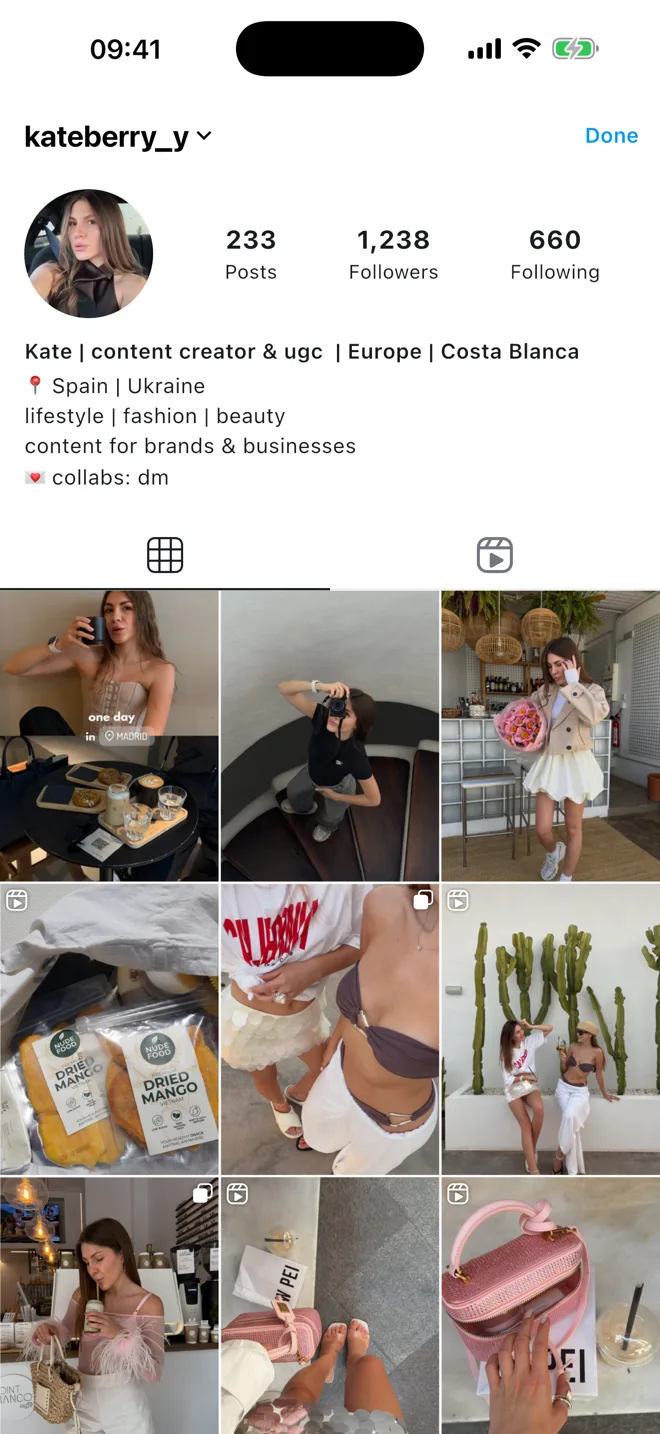
Planned posts sit in your real grid, so you see the whole feed the way followers will. Drag to reorder, try a cover, change your mind. Nothing leaves the app until you post it yourself.
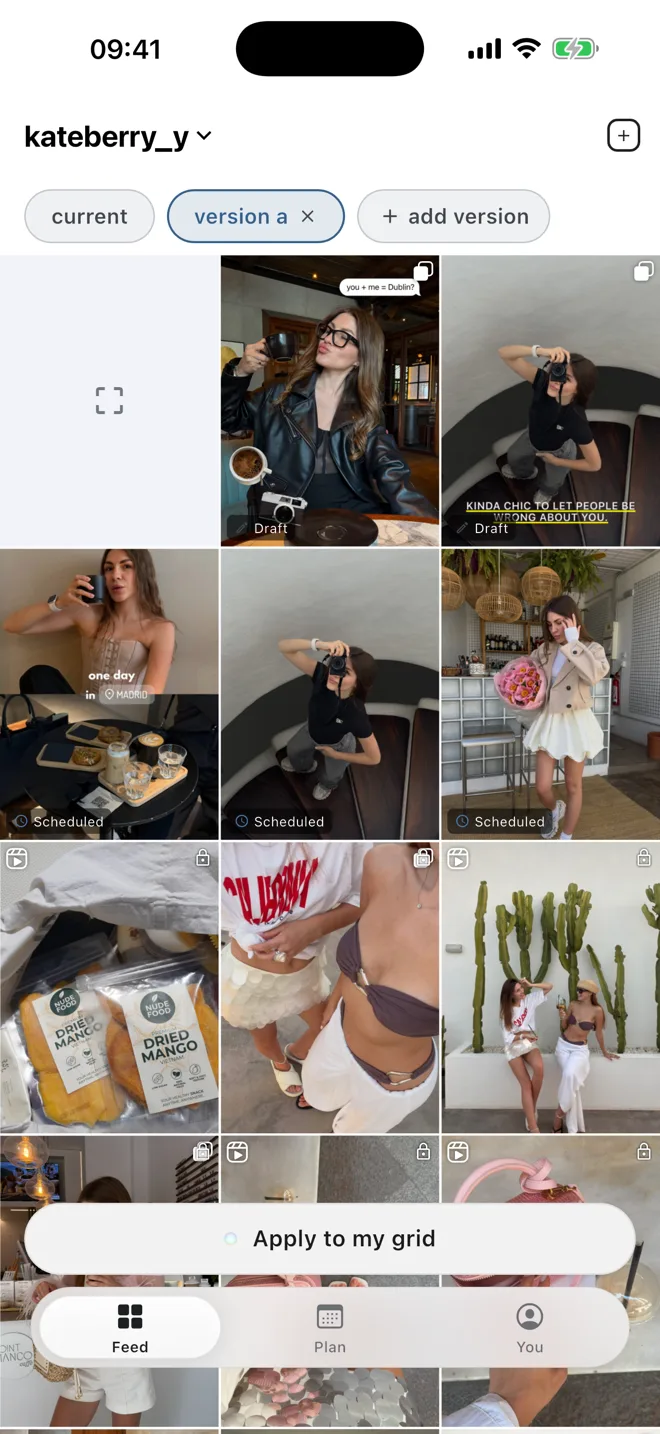
Keep up to four versions, switch between them in a tap, and pull a post out of one without touching the others. Your real feed changes only when you say so — and one tap undoes it.
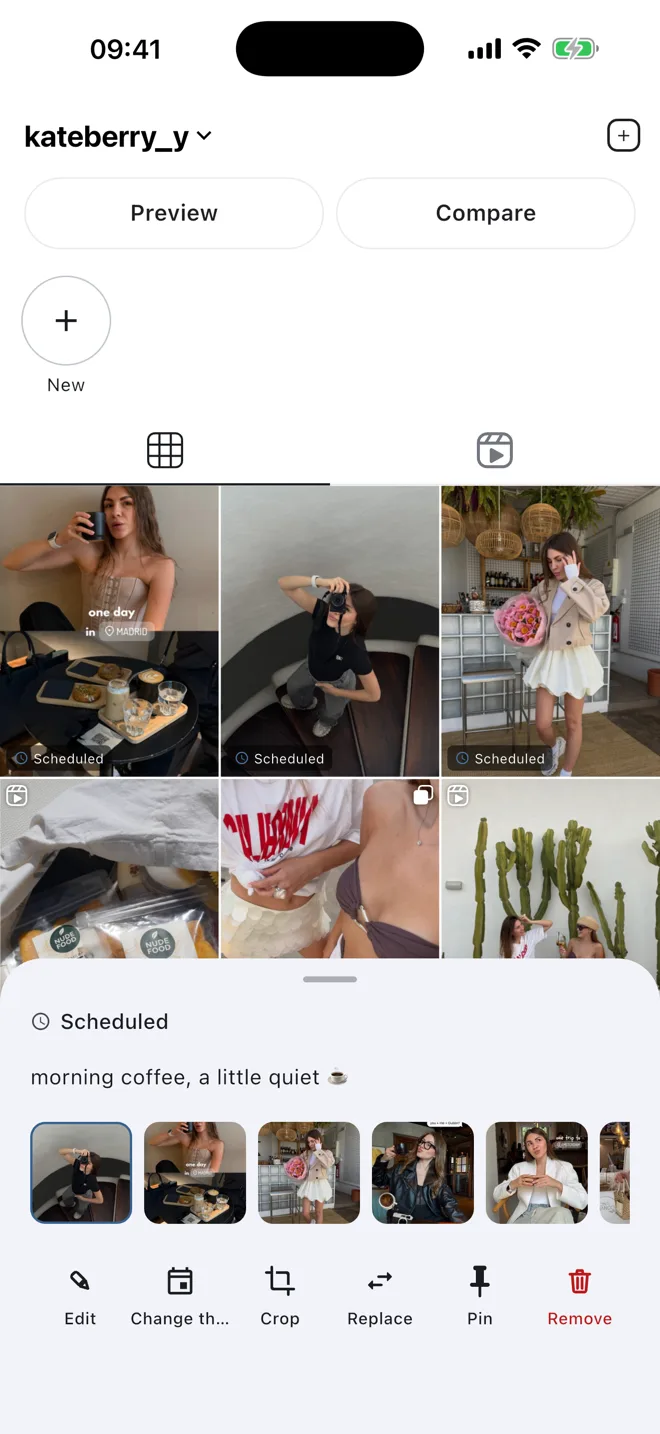
Swap the photo, move the day, rewrite the caption. The grid updates as you go, so you are always looking at the feed you would actually ship.
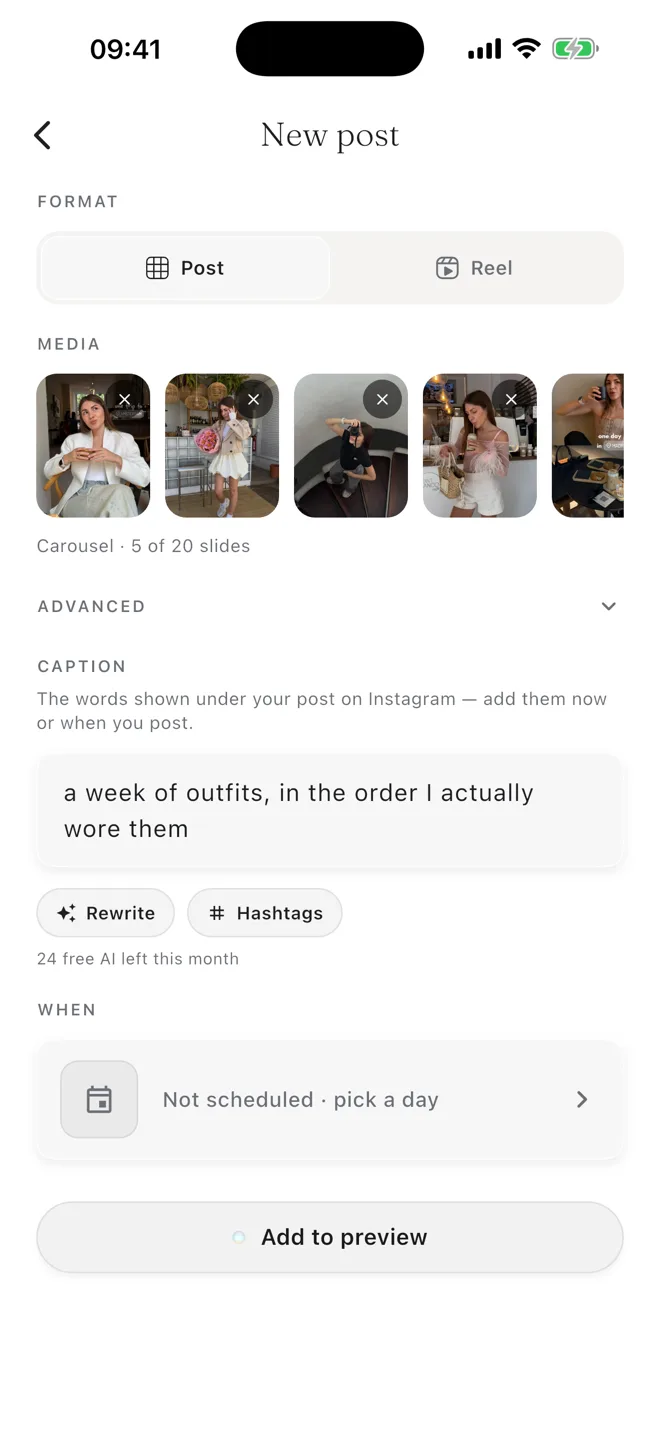
Pick the photos, put them in order, write the caption once. The slides fill the strip as you choose them and the whole set lands in your plan together.
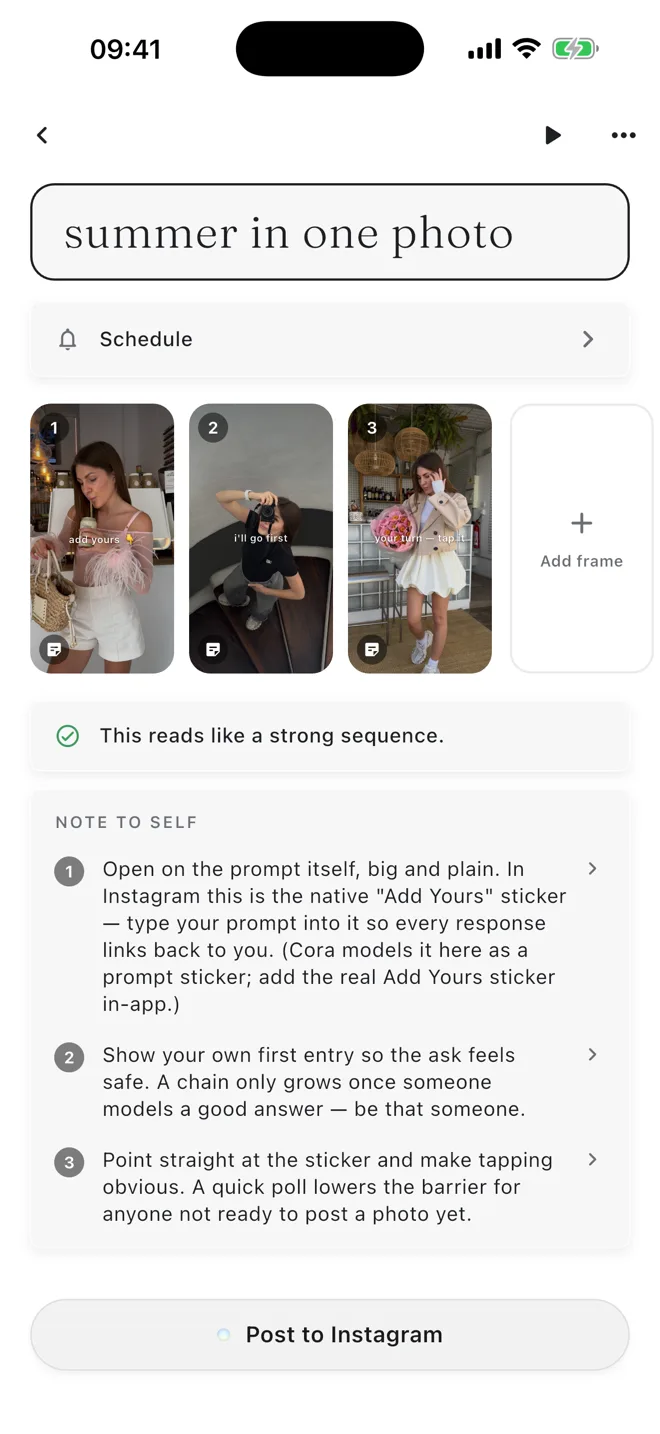
Put the frames in order, write the text, and keep the notes for the day you post. When the moment comes, Cora hands the frames to Instagram and serves your captions one at a time.
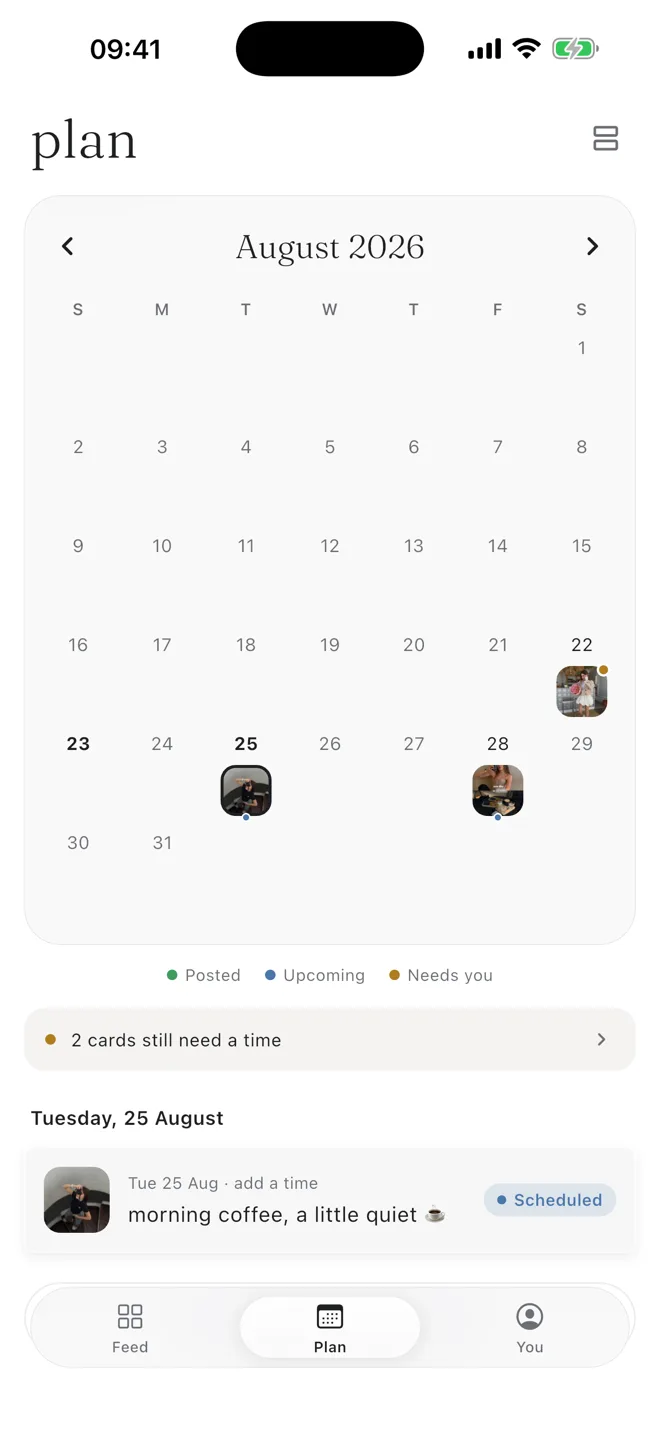
Give a post a day and a time and Cora holds it — layout, caption, media, all ready. When the moment comes it tells you, copies the caption and opens Instagram. Posting is a paste and a tap. The calendar knows what is due, what is late and what still needs you.
More than one feed
Save the layout, try another on a copy, keep up to four, switch between them and apply the one that wins. One tap undoes it.
The account you already have
Personal, creator or business — Cora shows your real grid either way. No switching account types to get your feed in.
A plan that survives the week
Give a post a day and a time. Cora holds it ready, tells you when, and knows what is late and what still needs you.
Cora is where you decide your Instagram feed before you post it. You lay out your grid, build carousels and stories, and Cora reminds you at the time you chose. Planned posts sit in a preview of your real grid, so you judge the whole feed rather than one square at a time.
Yes. Every feature is included, with no paywall, no trial and no ads.
Not to start. You can begin planning straight away and connect later. Once connected, Cora shows your real grid, whether it is a personal, creator or business account.
Not yet. Cora is on the App Store for iPhone today; the Android version is in closed testing and is not public.
All three. You can build a carousel from your camera roll slide by slide, build a story frame by frame, and plan single posts — and see how each one lands in the grid before you commit to it.
On the App Store for iPhone. Android is in closed testing.








 kateberry_y